Combine Two Photos Into One
This combines two photos into one real-looking scene, not a side-by-side collage. Photo 1 sets the scene; the person in photo 2 is placed into it, standing with the people already there, in the same light and perspective. It is how you get one picture of two people who were never photographed together.
First photo free with an account · then 5 photos for $4.99, no subscription
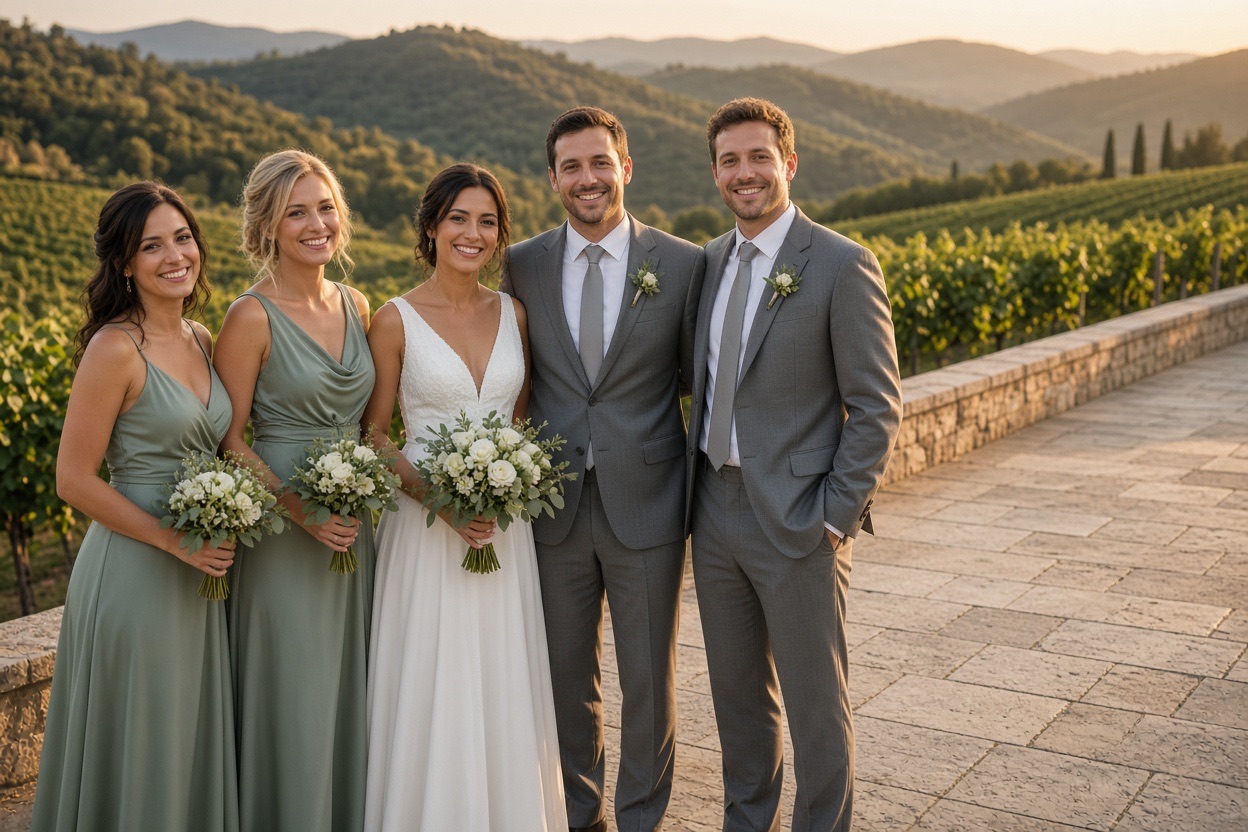
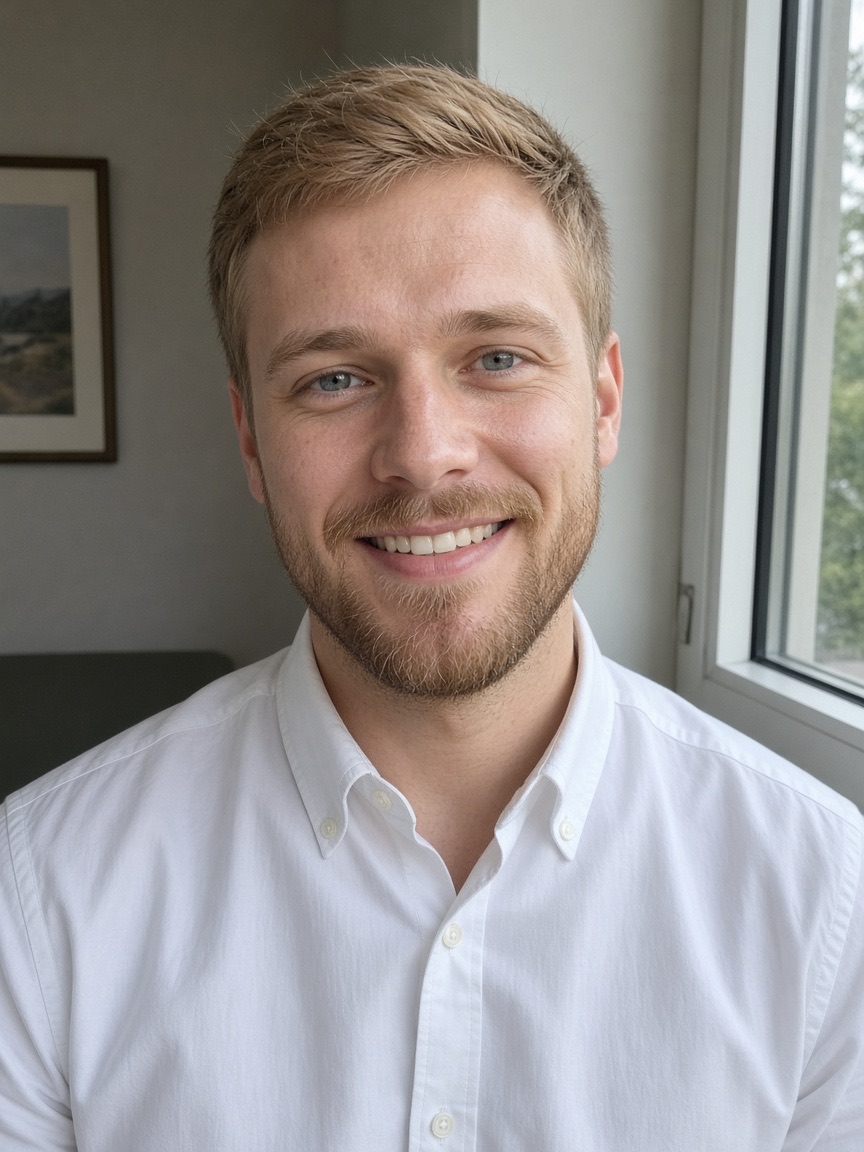
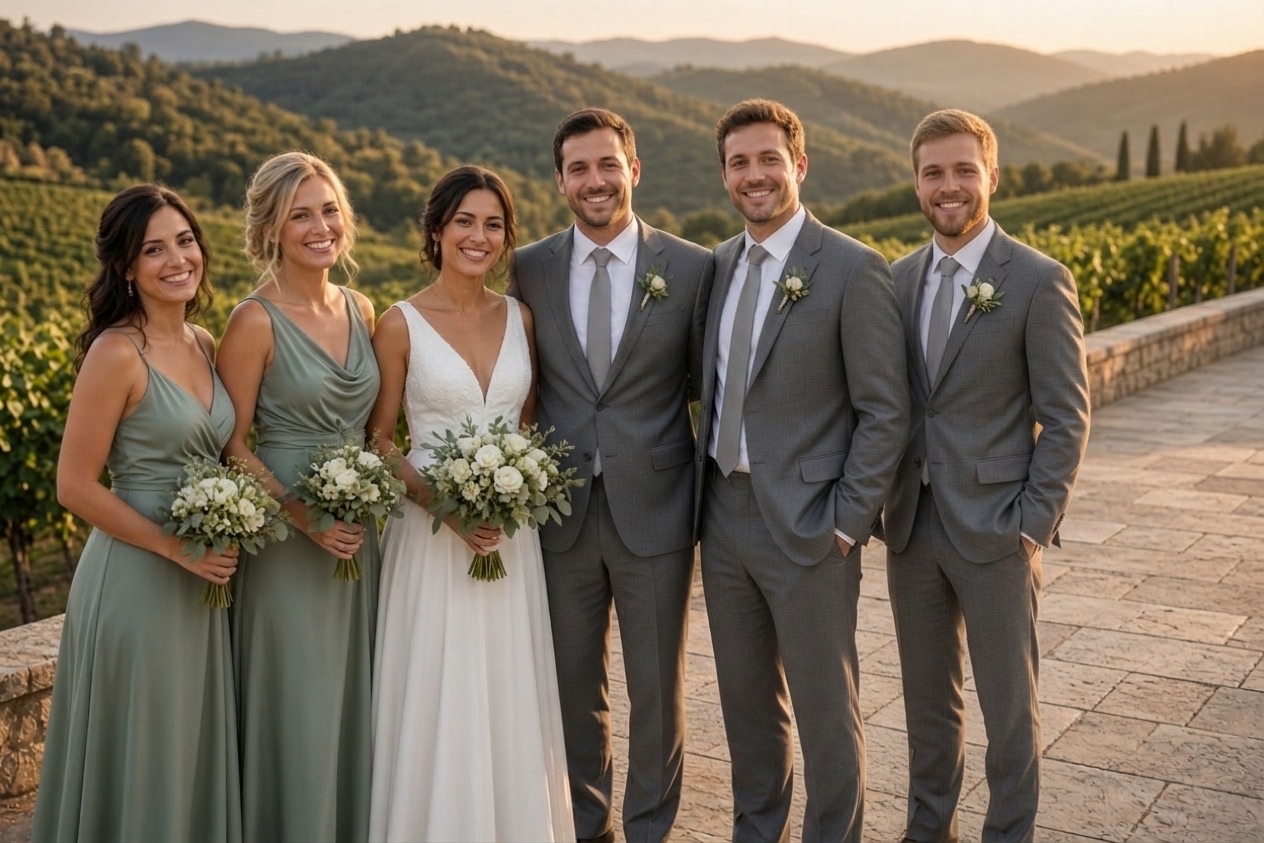
Three real results
Make yoursEach new photo was made from the photos beside it, in about a minute.
The people already in the photo keep their faces, clothes and poses.
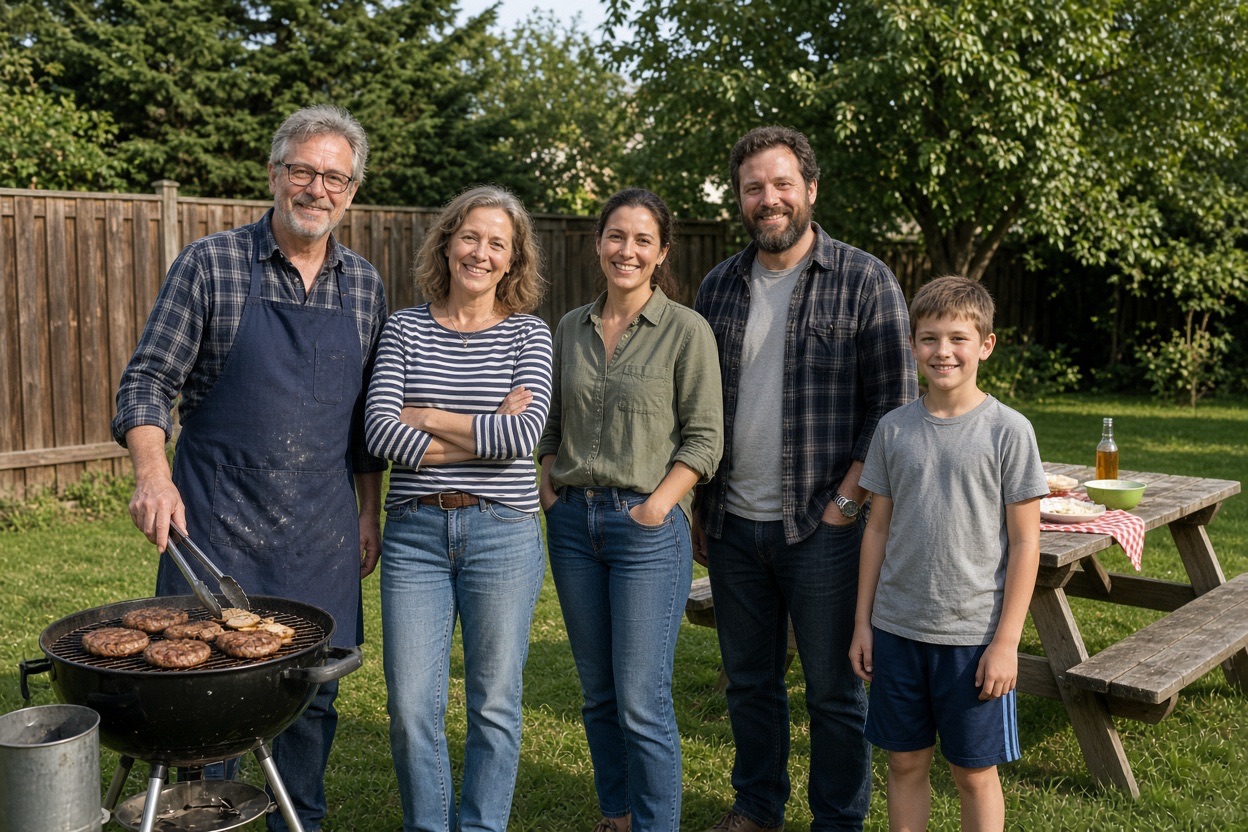
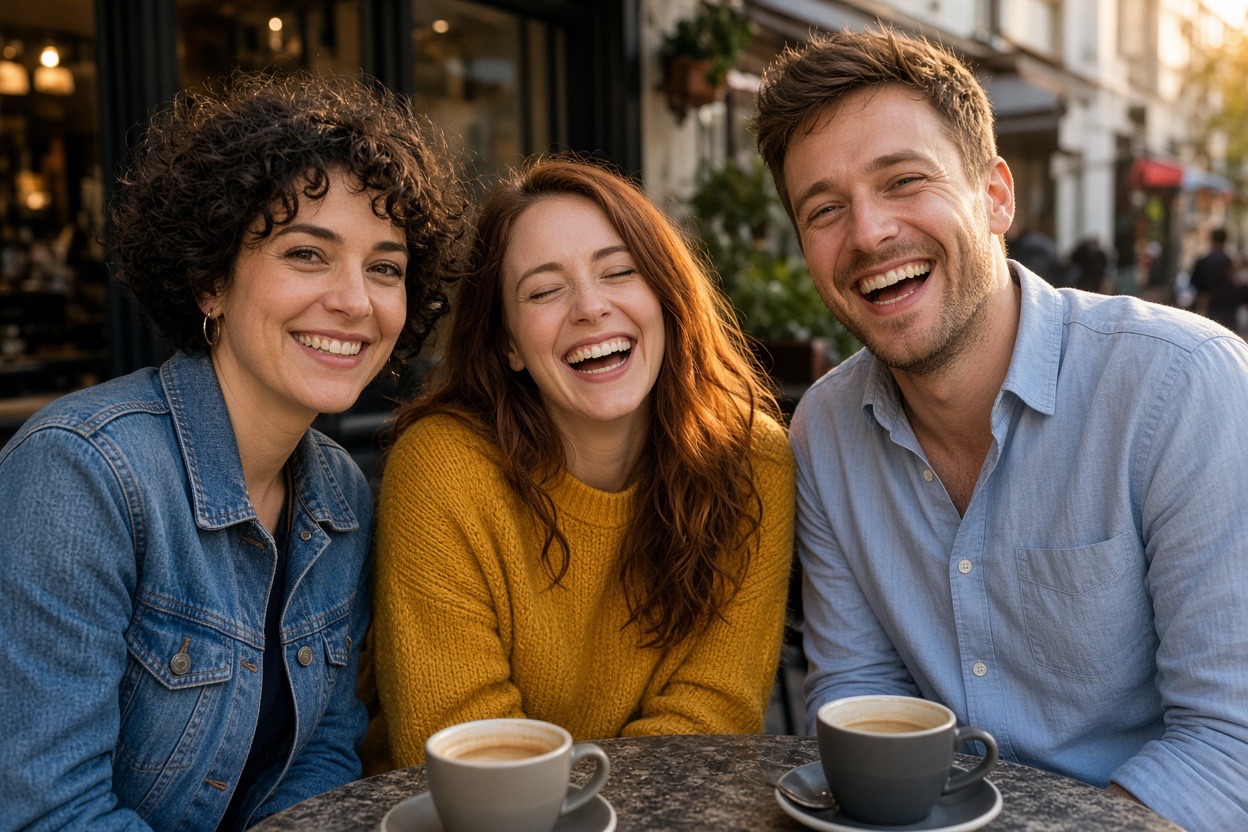
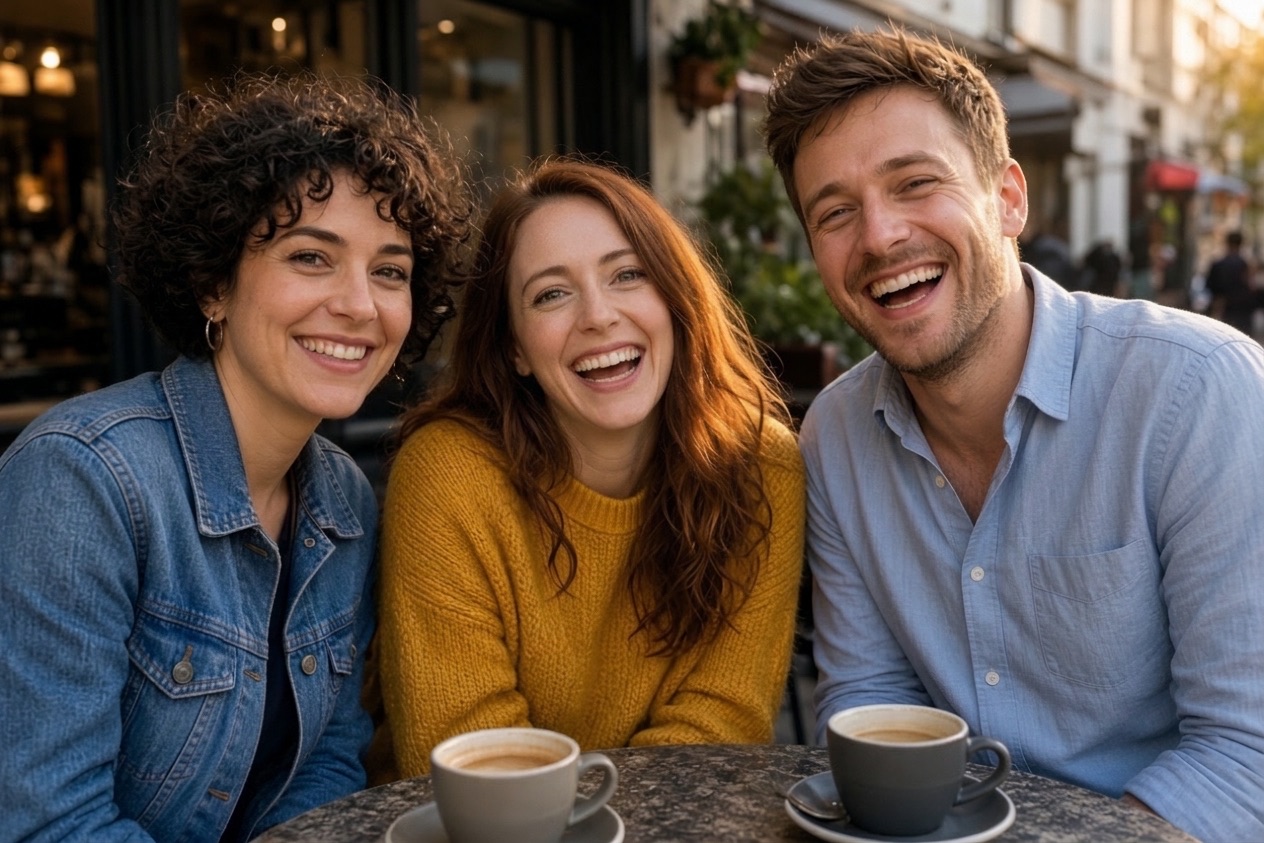
Each new photo was made from the photos beside it, in about a minute.
The people already in the photo keep their faces, clothes and poses.
How it works
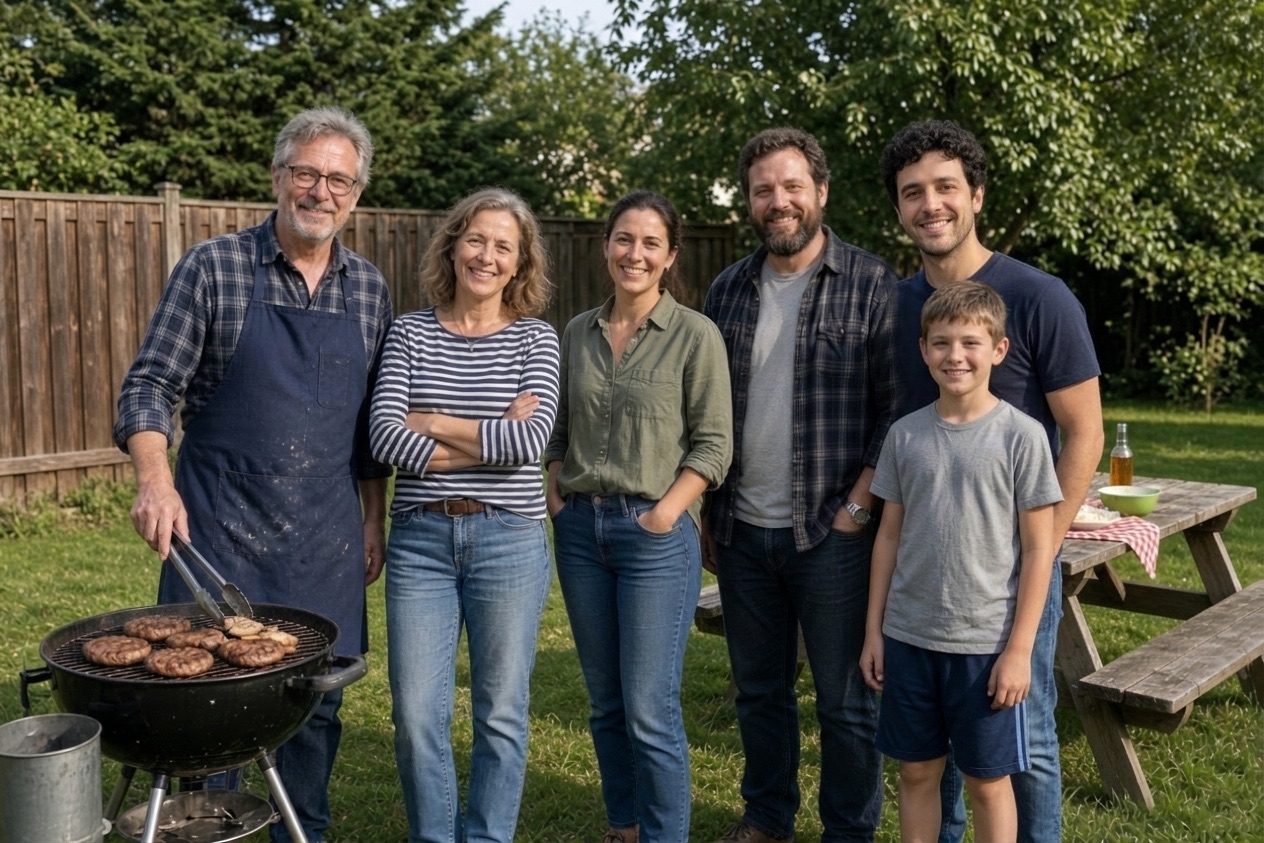
To begin, choose the photo whose background and people you want to keep.
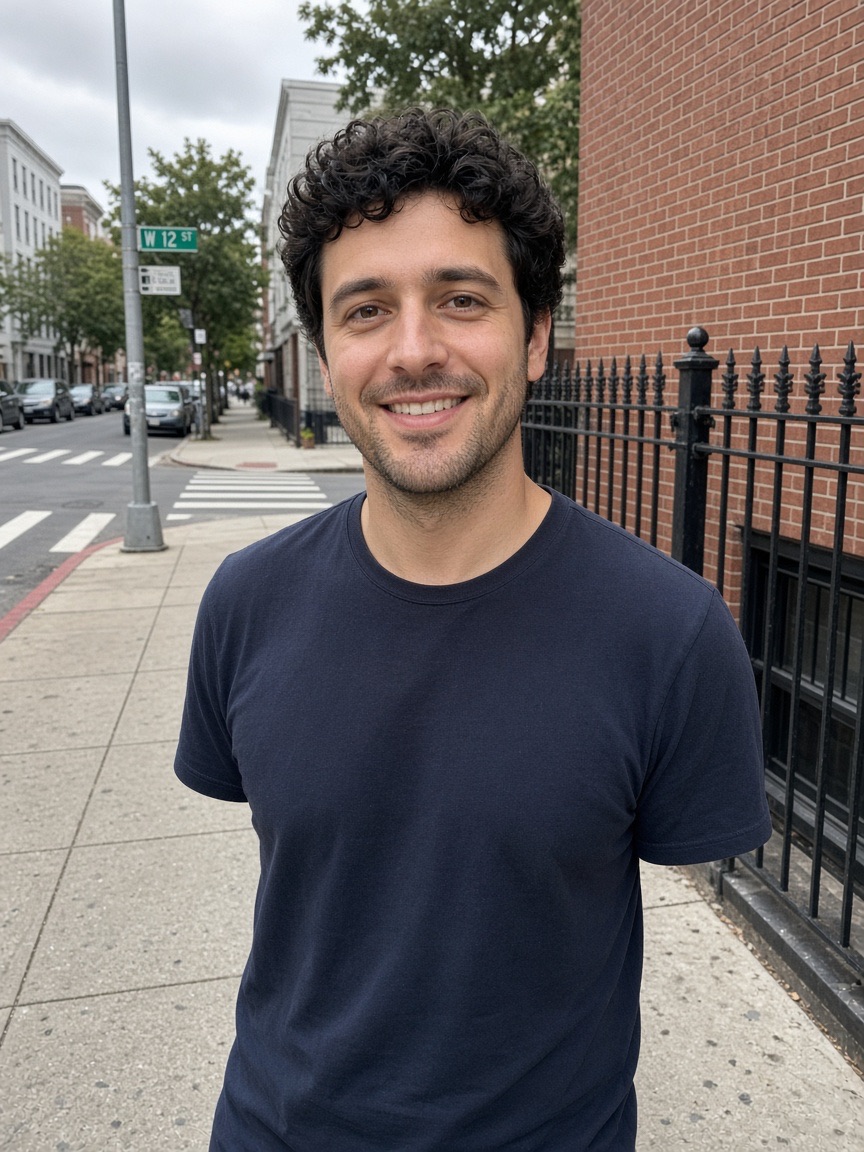
Then, add the photo of the person to bring into it.
Finally, press the button. In about a minute you get one merged photo with matching light, scale and color.
Upload, press one button, download. Nothing to install and nothing to learn.
One new photo, ready to print, about 1 minute.
Included with every photo
The first photo is free
Create an account and one credit is added. No card, the same full quality as a paid photo.
Credits1No watermark
Download the full photo, ready to print or share. The free one too.
photo-together-3f9a2c1e.jpg
Uploads deleted after 24 hours
Your photos are only used to make your picture. Never shown to anyone, sold or used to train AI.
- bbq-group.jpgdeletes in 23 h
- bbq-person.jpgdeletes in 23 h
Faces stay as they were
Everyone already in the photo keeps their face, clothes and pose. The background stays too.
One free redo
If the AI changed someone’s face, email us and that photo is made again for free.
- To
- hello@addpersontophoto.org
- Subject
- Redo my photo, please
On iPhone, Android and the web
Pick both photos from your camera roll and save the result straight back. Nothing to install.
- Photo Library
- Take Photo
- Choose File
A merged photo, not a collage
Collage apps put two pictures next to each other in a grid or split screen. Merging puts people from both pictures into one frame, as if a single photo had been taken. The background of the first photo stays, the person from the second photo is redrawn into it at the right size, and the light and shadows are made to agree.
Good pairs of photos to merge
- Two friends who live far apart, merged into one photo at a place one of them visited.
- A couple photo where each partner took a selfie at the same landmark on different days.
- A parent and a child photographed separately on the same day, put into one portrait.
- A group photo plus the person who took it.
- A team photo plus the colleague who joined later.
Which photo should be photo 1?
Put the photo with the better background and the larger group first: that photo is kept and the other person joins it. If both photos show one person, choose the one with the nicer setting as photo 1. The person in photo 2 can be photographed anywhere; their background is not used.
Tips for the most natural result
- Use a photo of the person where the face is sharp and well lit, ideally facing the camera from roughly the same height as the group photo.
- Pick a group photo with a little room at one side or between two people, so there is a natural place to stand.
- Similar light helps: an outdoor daylight photo of the person blends best into an outdoor group photo.
- A waist-up or full-body photo of the person gives the AI more to work with than a tight face crop.
- If the first result is not right, try another photo of the person. A different angle often looks more natural.
Your photos are safe with us
The photos you upload are only used to make your picture, are never shown to anyone else and are deleted automatically 24 hours after upload. Your finished photo stays private in your account until you delete it. Photos of public figures and explicit content are refused automatically.
Questions
Upload the photo with the scene you want to keep as photo 1 and the photo of the person to bring in as photo 2, then press the button. In about a minute you get one photo with everyone in the same scene.
Use one of the photos as the scene and the other as the person to add. The tool keeps the first photo’s people and background and places the second person beside them, matching light, perspective and size.
This tool makes one merged scene. For a simple side-by-side, any free collage app on your phone will do; merging is for when you want it to look like one photo was taken.
Yes: photo 1 can already contain any number of people. To add several missing people, add them one at a time, using each result as the next photo 1.
Your first photo is free when you create an account (one free photo per person and network every 30 days). After that, photos come in one-time packs: 5 photos for $4.99, 15 for $9.99 or 40 for $19.99. One credit is one photo, credits never expire, and there is no subscription. You can also buy a pack without creating an account.
The photos you upload are only used to make your picture and are deleted automatically 24 hours after upload. The finished photo is kept privately in your account so you can download it again, until you delete it with your account (Settings → Security → Delete account, which removes your photos right away) or ask us at hello@addpersontophoto.org. Photos are never shown to other visitors, sold or used to train AI.
If a photo fails or times out, its credit goes back to your balance automatically. If the photo is made but the AI changed someone’s face so they no longer look like themselves, email hello@addpersontophoto.org from the address on your account (or with your order receipt) and we will give you one free redo of that photo. A sharper photo where the face is large usually gives a closer likeness.
Upload the photo with the scene you want to keep as photo 1 and the photo of the person to bring in as photo 2, then press the button. In about a minute you get one photo with everyone in the same scene.
More ways to fix and combine group photos
- Add a Person to a PhotoAdd a person to a photo online: upload the group photo and a photo of the missing person, and get one natural picture with everyone in it. First photo free.
- Add a Person to a Photo FreeAdd a person to a photo free: create an account and your first merged photo is on us, with no watermark. Then one-time packs from $4.99, no subscription.
- How to Add a Person to a PhotoHow to add a person to a photo without Photoshop: match the camera angle, scale and shadows, then use an AI tool, a free editor or a retoucher. Works on iPhone, Android and PC.
- Open Closed Eyes in a PhotoOpen closed eyes in a photo with AI: fix someone who blinked in a group picture so their eyes look naturally open, with everything else left untouched.
- Add Someone to a Family PhotoAdd a missing person to a family photo: the relative who missed the reunion, the holiday dinner or the portrait day. Upload two photos, get one family photo.
- Add Someone to a Wedding PhotoAdd a person to a wedding photo: a bridesmaid, groomsman or relative who missed the bridal party or family portraits. Matching outfit and golden-hour light.